LEO BUILDERS PROJECT
All tools

Leo Builders ProjectIn testing

StreamSubs

Real-time subtitles and translation for your streams and your calls.

It listens to what you say and shows it on screen, translated, as you speak. On your stream, the audience reads subtitles in their language over the video. On a call, you read in your language what the others say and they read in theirs what you say, inside your own camera, with nothing to install. It runs on a modest PC, your voice never leaves your machine, and anyone can use it: one window, two modes, one button.

Download StreamSubsBeta 0.5.4

Windows 10 or 11 (64-bit) · 196 MB download

When installing, you choose what you want it for:

  • Both491 MB
  • Subtitles for my streams only334 MB
  • Translating my meetings only485 MB

The file you download is the same; what changes is how much space it takes on your disk. If you pick meetings only, the app opens straight into that mode.

Windows will warn you. That's normal.

It will say “Windows protected your PC”. There's nothing wrong with the program: it just isn't digitally signed yet, and signing costs a few hundred euros a year.

Click More info → Run anyway.

StreamSubs_Beta_0.5.4_Setup.exe

Something not working or coming out odd? Tell me: I'm polishing this version and every report helps.

What you get for telling me:

  • Your name as a beta tester on the site and in the results video, only if you want it
  • New features before everyone else
  • 14 days of Conversation mode free (calls and meetings) when it's available
  • A permanent discount on Conversation, for being here from the start
  • A say in the work: what you tell me decides what gets fixed before launch
Tell me how it went (2 minutes)

Two ways to use it

It's the same app and the same installer: you pick what you want it for and it opens in that mode.

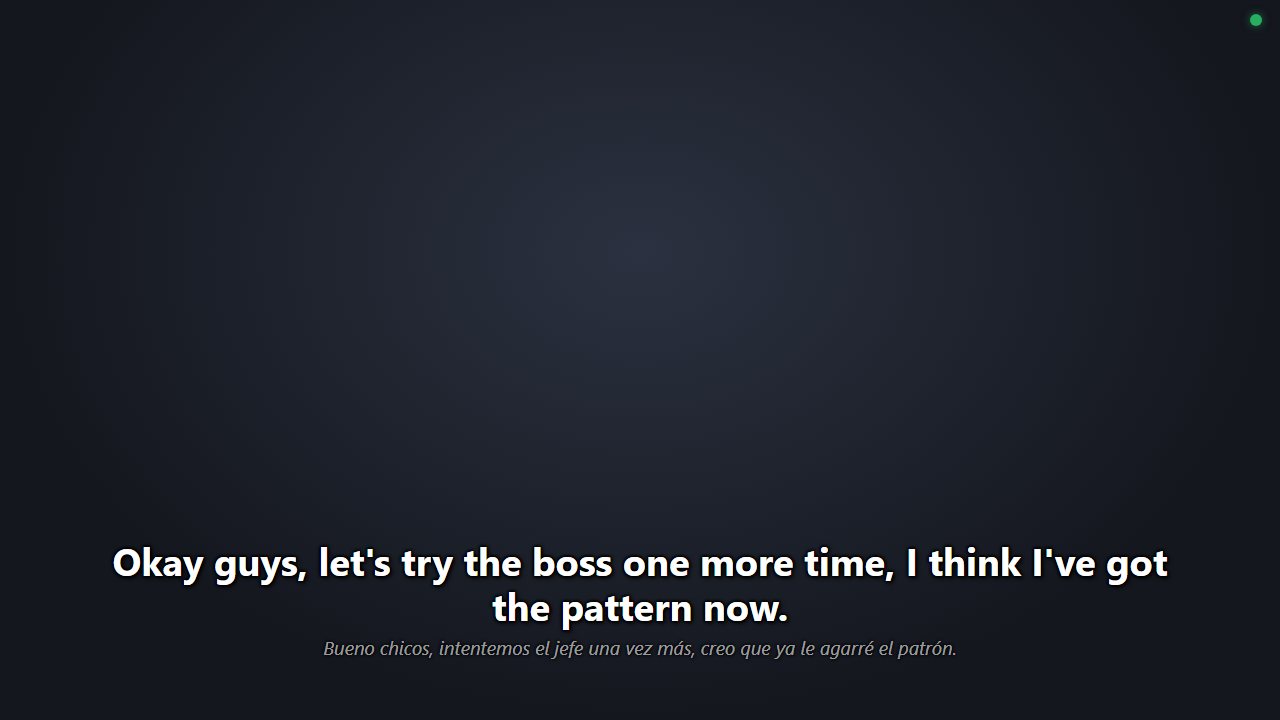
The overlay with subtitles over the stream

Streamers · Twitch, YouTube, Kick

Be understood by people who don't speak your language

You speak Spanish and your viewers read subtitles in theirs, over your stream, while you talk. You set it up in OBS once and never touch it again.

  • English, Portuguese, French, German, Italian or Japanese
  • You can change language mid-broadcast
  • It learns how your name, your channel and your games are spelled

Tested like this: a two-hour Twitch stream, with the game and OBS running at the same time on a 2016 laptop.
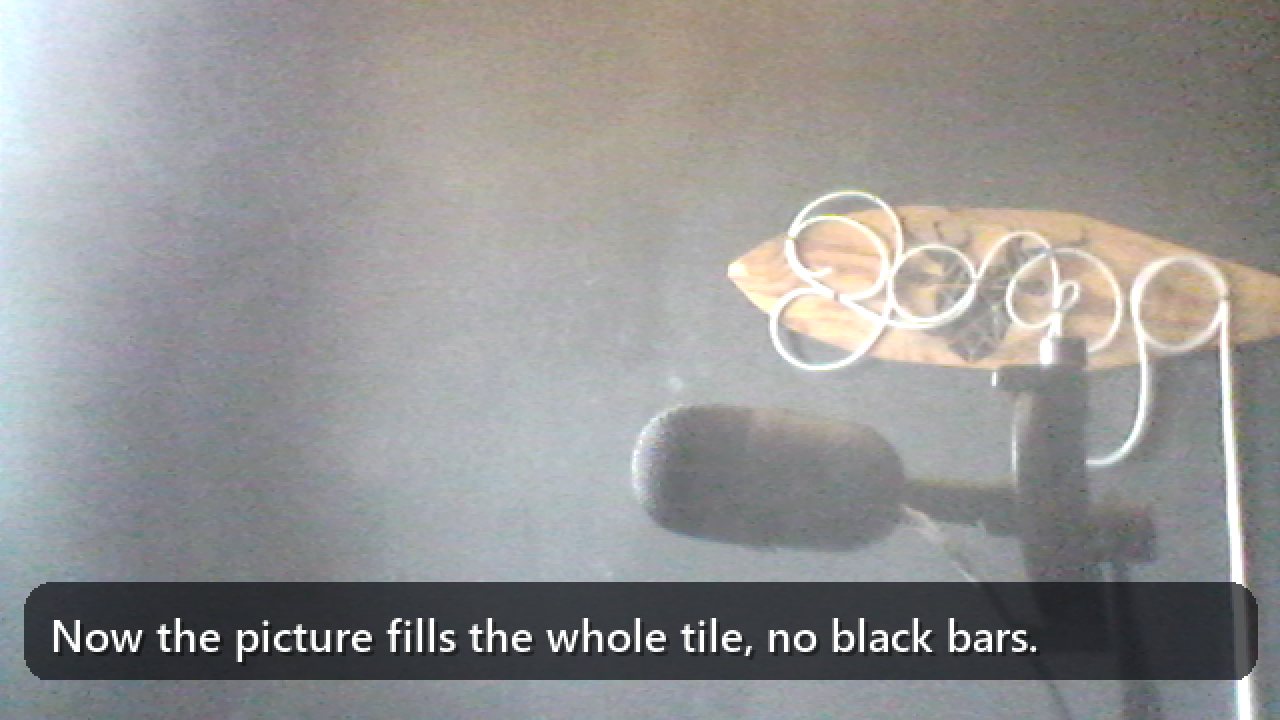
What the other person sees: your video with your sentences translated

Work · Meet, Zoom, Teams, Discord

Meetings in another language, without an interpreter

You read what the other person says, translated, and what you say reaches them subtitled inside your own camera. They install nothing and never see the machinery.

  • The other person installs nothing: they just see and read you
  • Works in any call app, because it goes through your camera
  • Installs with none of the OBS or streaming parts

Tested like this: a real Google Meet call, with the virtual camera and headphones.

Your name, spelled right

Speech recognition can only write words it already knows, so with your name it writes whatever sounds closest. This is what came out in a real two-hour stream, every time I said “StreamSubs”:

What came out

  • «este sub»
  • «estrena su»
  • «estruendo sus»
  • «string sus»

What comes out now

StreamSubs

You write the name once and it catches it by sound. No cloud tool knows what you're called.

I want to try Conversation

Conversation is the meetings mode and it's key-locked while the beta lasts. Leave me your email and I'll write to you with yours as soon as I open testing.

By subscribing you accept the Privacy policy.

What it looks like

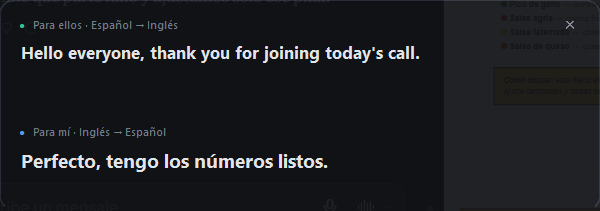
The floating window: "For them" (what I say, in their language) and "For me" (what they say, in mine).
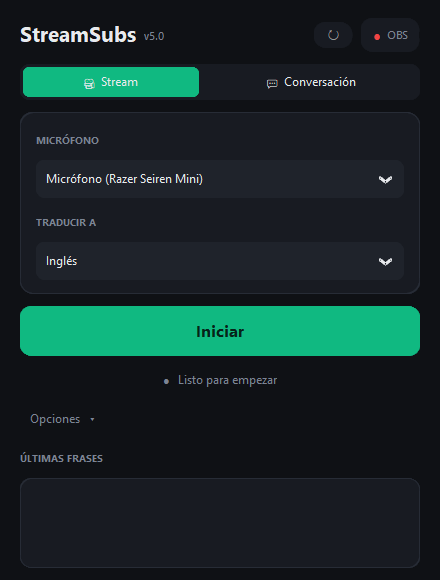
The app: one window, two modes, one big button.

Who it's for

For anyone who ever froze in front of "but I don't speak the language". The streamer who won't open their stream to the world because they think that without the language they reach no one. The person who avoids a meeting, an interview or a class in another language for fear of not understanding, or of understanding and not being able to answer. The one with friends, clients or gaming buddies in another country who feels a wall in the middle of every conversation. And also for small businesses and teams: serving a client from abroad, hiring someone who doesn't speak your language or working with a foreign supplier stops depending on finding someone bilingual. StreamSubs is not a perfect interpreter: speak clearly and tune it with your own corrections. But it turns "I can't" into "I can, with subtitles".

What it does

  • Streams: translated subtitles over the video in OBS, into English, Portuguese, French, German, Italian or Japanese, without touching anything during the broadcast
  • Calls: what the others say appears translated in a floating window, and what you say goes translated inside your own camera ("StreamSubs Cam") on Meet, Zoom, Teams or Discord
  • Nobody else installs anything: the other person just reads
  • Your voice never leaves your machine: recognition happens on your PC; only the text travels to the internet to be translated. No audio is recorded, no account or sign-up
  • Runs on a modest PC: tested on a 2016 laptop (dual-core i3, no graphics card) with the game and OBS running at the same time
  • Editable corrections dictionary: your name, your channel, your games and your filler words, spelled right before translating
  • Safety net: if the translator gets saturated, it slows down, switches to the backup and says so on screen. It never goes silent

How it works

Five steps, four of them inside your PC. The first subtitle appears about 2.5 seconds after you start talking and from there it updates as you speak; subtitles fade out on their own a few seconds after the last sentence.

  1. 1

    Listens On your PC

    Takes the audio from the microphone and, on a call, also what plays on the PC: the other people's voices.

  2. 2

    Recognizes On your PC

    Turns speech into text as it's spoken: the sentence shows up half-said and keeps completing; at the pause, it closes.

  3. 3

    Corrects On your PC

    Applies your dictionary (your name, your channel, your games, your filler words) so the translator gets the sentence spelled right.

  4. 4

    Translates Internet

    Sends only the text to the translator and gets the translation back in a few tenths of a second. If the main one saturates, it switches to the backup and lets you know.

  5. 5

    Shows On your PC

    On stream, over the video in OBS. On calls, in the floating window or inside your camera.

Measured, not estimated

Real figures taken on the creator's laptop, a 2016 i3 with no graphics card.

≈ 2,5 s

to the first subtitle; then it updates as you speak

≤ 0,6 s

of accumulated delay when you stop talking: no queues build up

≈ 0,4 s

per translated sentence

< 1 s

from voice to virtual camera

72 %

exact words with the dictionary, on a real stream with game noise; context covers much of the rest

2 h + Meet

a two-hour Twitch stream and a real Google Meet meeting with the virtual camera

Ready today

  • Full Stream mode, with OBS overlay and six target languages
  • Full Conversation mode: two channels, docked window and "StreamSubs Cam" virtual camera
  • Editable corrections dictionary
  • Automatic translator fallback and clear on-screen messages
  • Tested on a two-hour stream and a real meeting

Before release

  • One-click installer (program, speech models and camera driver included)
  • Conversation mode test with a real English-speaking counterpart
  • User guide for the public
  • Commercial name for Conversation mode

Requirements · Price

64-bit Windows 10 or 11 and a microphone. For Conversation mode with camera, a webcam (the laptop's or your phone as a camera works). Internet only to translate the text. Uses between 190 and 330 MB of memory; the speech models take 125 MB on disk and load in about 5 seconds.

Price: Stream mode will be free. Conversation mode will have a paid version with cloud speech recognition (more accuracy, less delay); pricing will be set once it's ready.

What's next

Short term

  • One-click installer, so anyone can install it without knowing about Python or drivers
  • Sentence history in the "For me" window, to follow fast meetings without losing what came before
  • Meeting minutes: everything said, in both languages, saved to a file
  • Confidence filter: don't translate what wasn't understood (noise, another language, two voices at once)
  • Auto-update, so improvements arrive on their own

Mid term · the paid Conversation mode

  • Cloud speech recognition: more accuracy and less delay, without loading the PC
  • Context-aware translation with a language model: understanding slang and proper names
  • Automatic language and speaker detection (Person 1, 2, 3, with names), for bilingual teams
  • Key-based license; subscription or hour bundle. Stream mode stays free

Long term

  • Listen mode: courses, talks and videos in another language, from the audio alone
  • Minutes with automatic summary: topics and agreements, ready to send
  • Purchasable plugins, OBS-style
  • Community-shared corrections and more speech languages

FAQ

Does it need internet?

Only to translate the text. Speech recognition is local. Without a connection, it shows what it recognized, untranslated, and lets you know.

Does the other person have to install anything?

No. They read the subtitles in your camera or in the window you share.

Does it record or upload my voice?

No. Audio is processed on your PC and not stored. Only the text travels to the translator.

Which languages?

Recognized speech: Spanish and English. Stream translation: English, Portuguese, French, German, Italian and Japanese.

Does it work on Mac or Linux?

Today only on Windows 10 and 11.

What PC do I need?

A modest one: it's tested on a 2016 i3 with no graphics card. It uses between 200 and 350 MB of memory.

How long does it take?

The subtitle starts appearing while you speak and completes about 2.5 seconds later.

What if there's noise or I use slang?

There's a sensitivity slider and a corrections dictionary where you write down your name, your channel, your games and how they usually come out wrong.

What if the translator saturates?

The program slows down, switches to a backup translator and shows it on screen. It never goes silent.

Does it work in meetings with several people?

It translates everything everyone says, and everyone sees your subtitles in your camera. Today it doesn't indicate who spoke; that's planned for the paid version. Use headphones.

How much does it cost?

Stream mode will be free. Conversation mode will have a paid version with cloud recognition; pricing will be set when it's ready.

When is it out?

The one-click installer and a final test with an English-speaking counterpart are pending. Leave your email and I'll tell you the day it can be downloaded.

How it was made

StreamSubs was born from a concrete need: I stream on Twitch and YouTube in Spanish and wanted people who don't understand the language to be able to follow along. Later, a work meeting in English opened up the second use: the same idea, but to talk with a person instead of an audience. The method was always the same: build, test on a real stream or a real call, measure and fix. Every decision was made by measuring on my laptop, a modest machine on purpose: if it works there, it works almost anywhere. The design, direction, testing and product decisions are mine; the software was built by Claude Code (Anthropic's AI) under that direction, live, on Leo Builders Project.

Built with

  • Python 3.13
  • Speech recognition: Vosk (Apache 2.0), lightweight Spanish and English models
  • Translation: Google Translate, with MyMemory as backup
  • Audio: sounddevice and WASAPI capture
  • Interface: CustomTkinter · Overlay: local WebSocket server + HTML for OBS
  • Virtual camera: pyvirtualcam with the Unity Capture driver (MIT), OpenCV and Pillow
  • Built with Claude Code (Anthropic) under the direction of Leonardo Bastidas

Made by Leonardo Bastidas. I build it live on Leo Builders Project and use it on my Baspa streams.@iamleobuilds·Baspa